Make the first step obvious
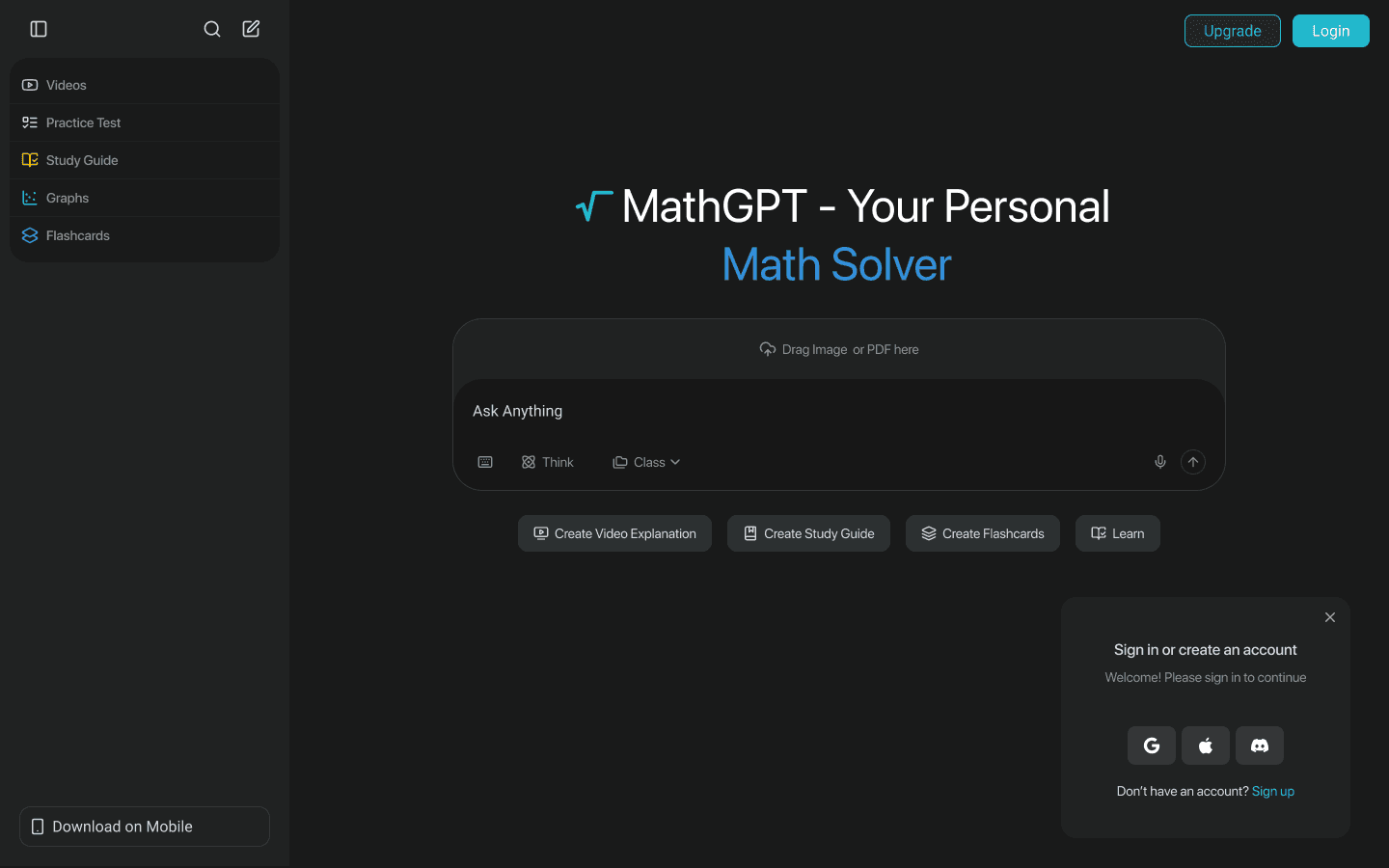
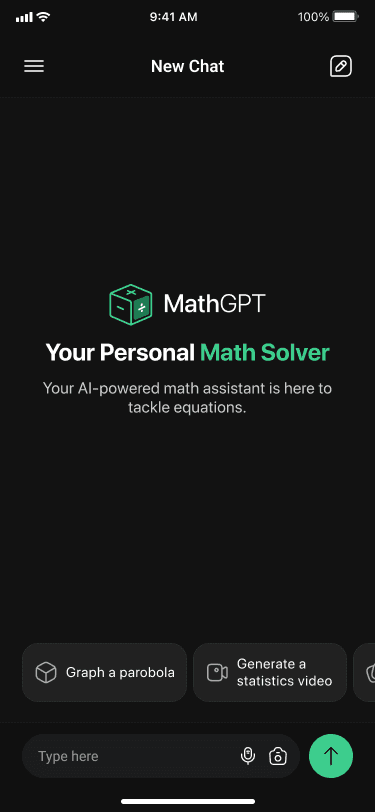
Students should be able to type, speak, or upload a problem without stopping to learn the interface.


Success story · Product design
MathGPT × Augment
We shaped a clear product experience that helps students ask a question, understand the answer, and turn one problem into a more useful way to study.
The problem
An AI math tool can produce an answer in seconds. The harder design problem is helping a student understand what happened, practise the idea, organize the material, and return to it later.
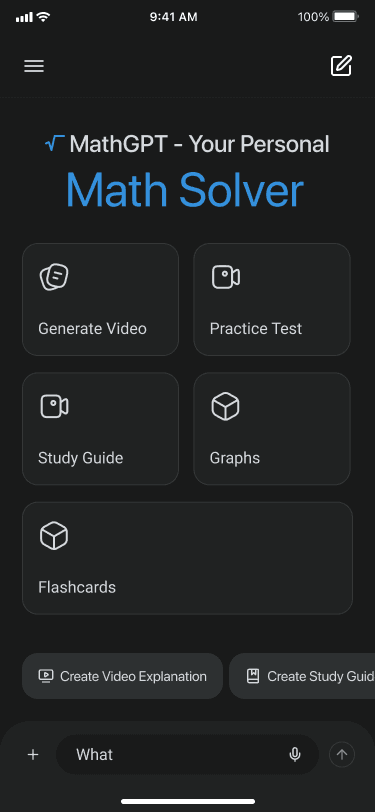
MathGPT needed to bring several useful tools—chat, video explanations, study guides, graphs, flashcards, practice tests, and classes—into one product without turning the experience into a crowded dashboard.
Students should be able to type, speak, or upload a problem without stopping to learn the interface.
Every generated explanation should lead naturally into practice, revision, and a saved class context.
The core experience needed to remain focused and useful on a much smaller mobile screen.
How we solved it
We made the prompt the center of the experience, then organized every supporting tool around the work a student is already doing. The interface keeps the immediate question in focus while classes, recent activity, and learning formats stay close at hand.
A dark, low-distraction canvas gives the content room to breathe. Bright functional colors distinguish video, practice, study, graphs, and flashcards, creating useful wayfinding without adding more labels or navigation.
Product strategy
UX architecture
Interface design
AI interaction design
Responsive web
Mobile experience
Uploaded material, the student's request, the generated explanation, and the next prompt remain visible in one continuous workspace.
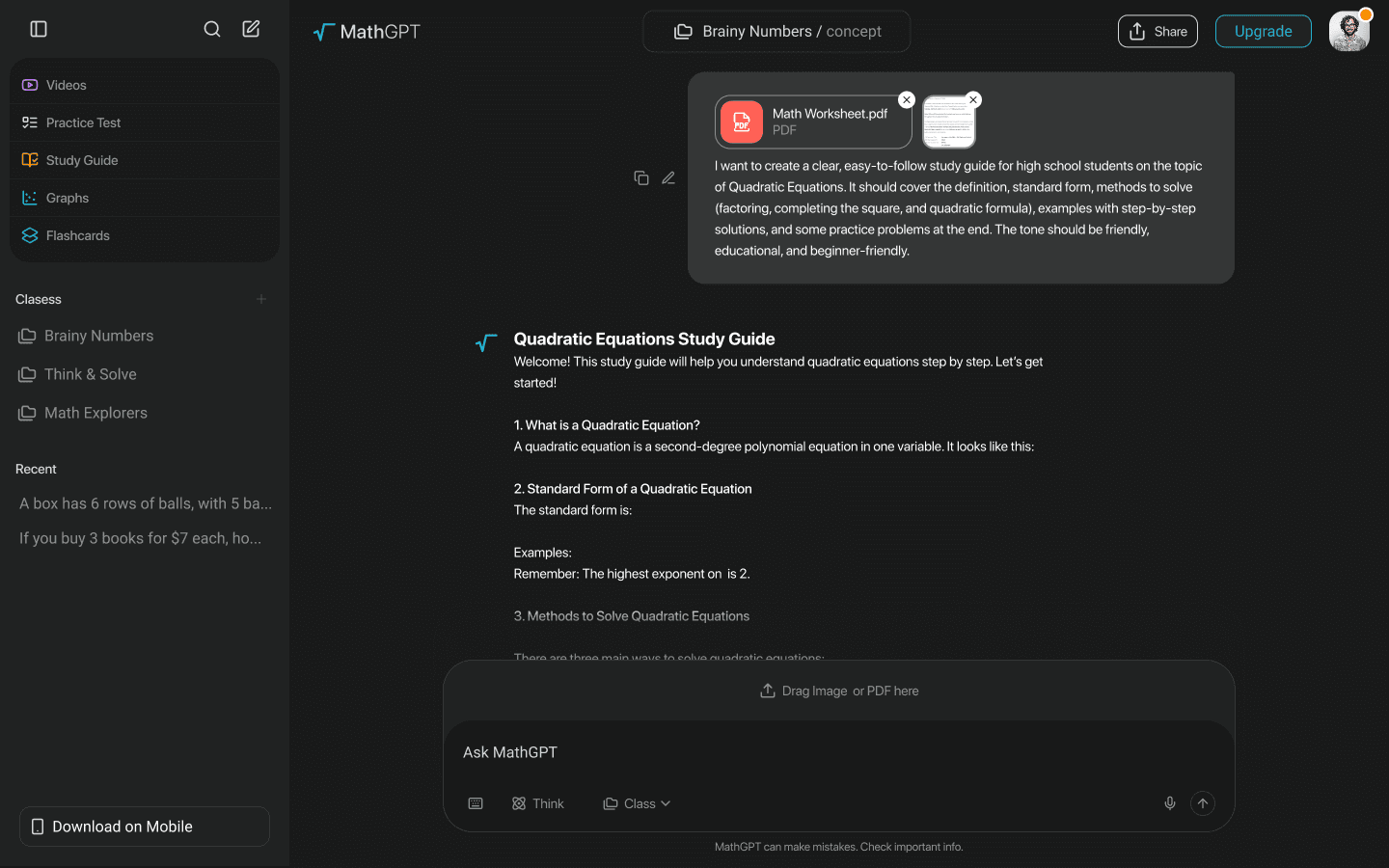
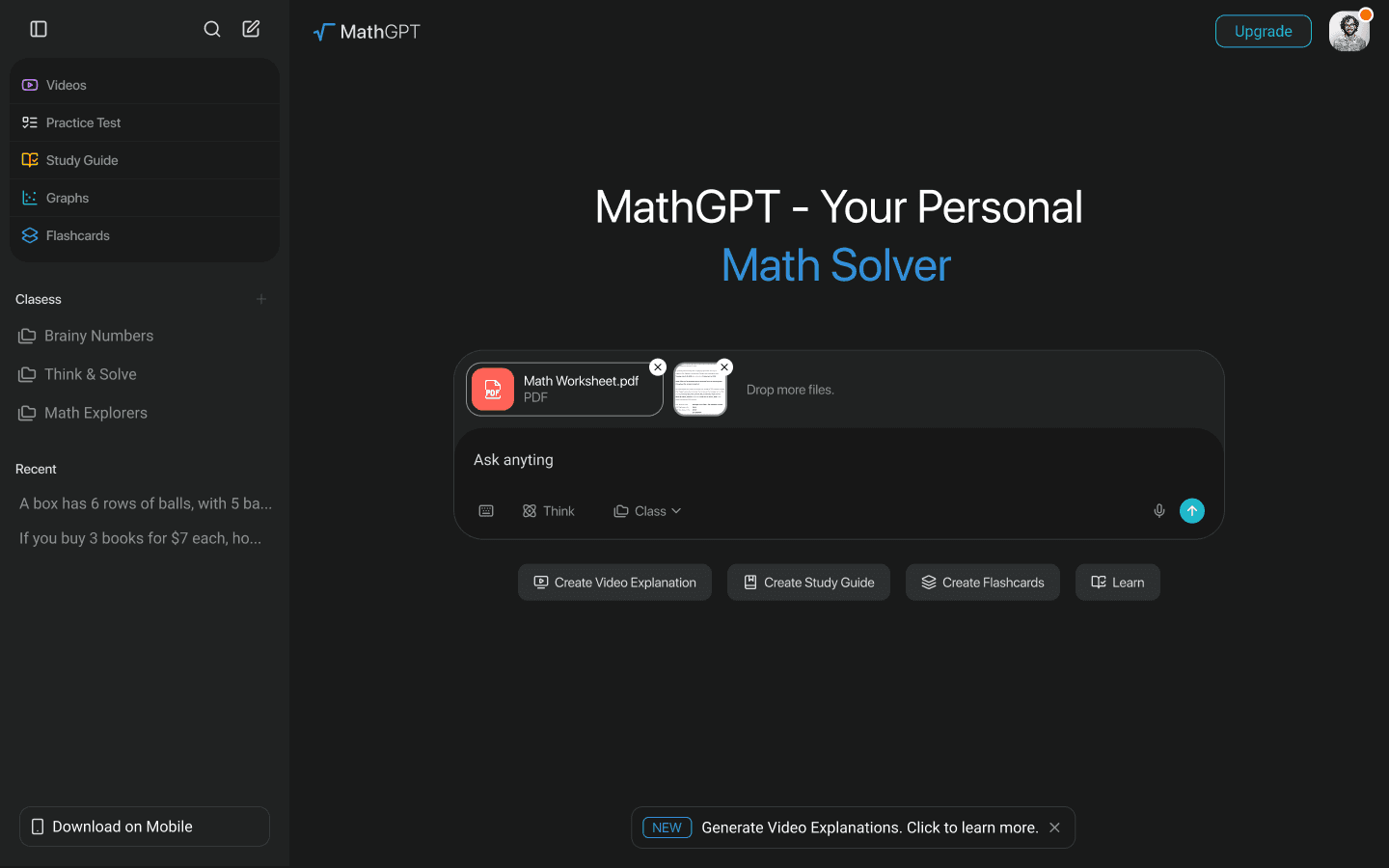
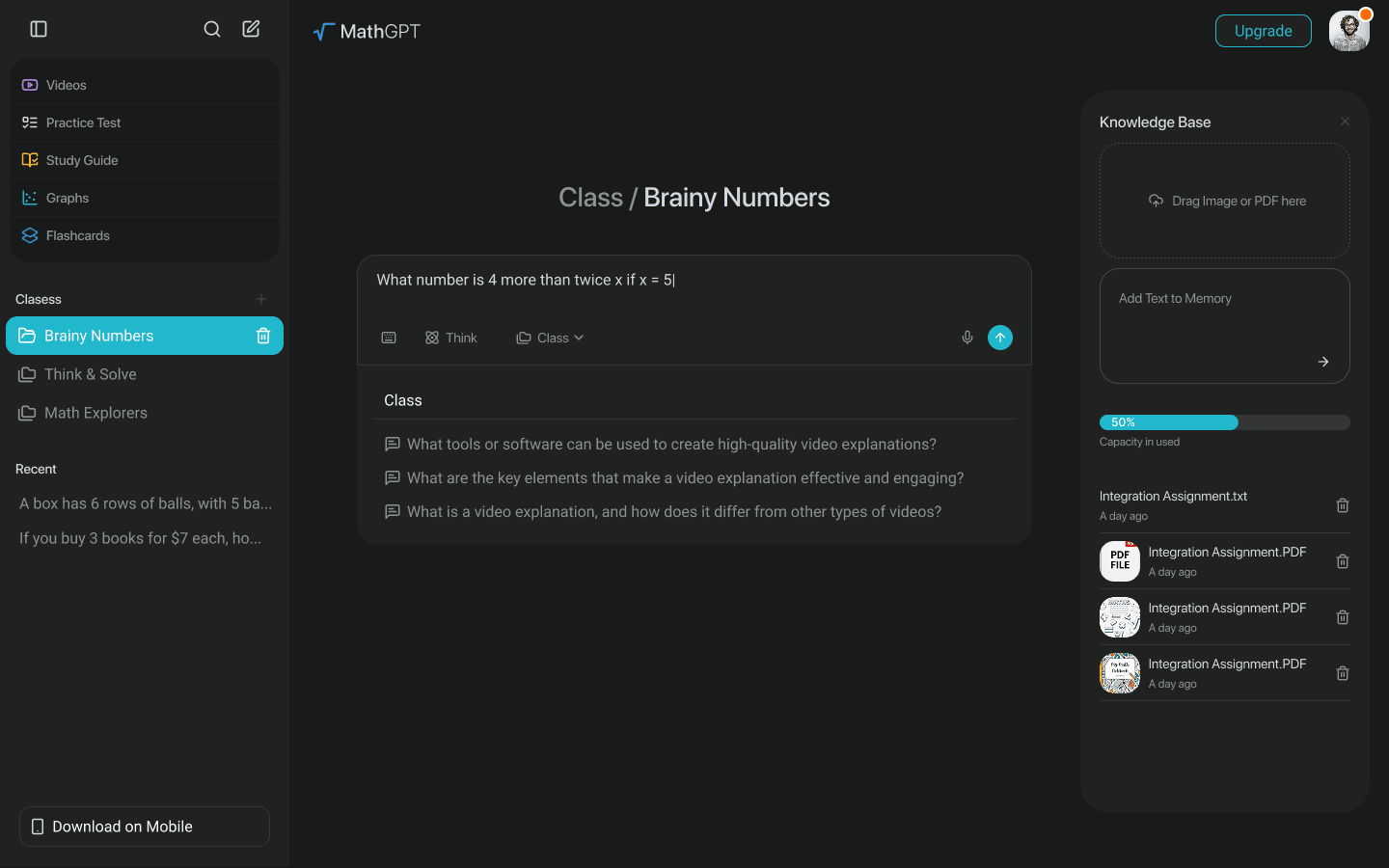
Practice tests and plan selection are structured as clear continuations of the learning journey, not separate utilities hidden elsewhere in the product.
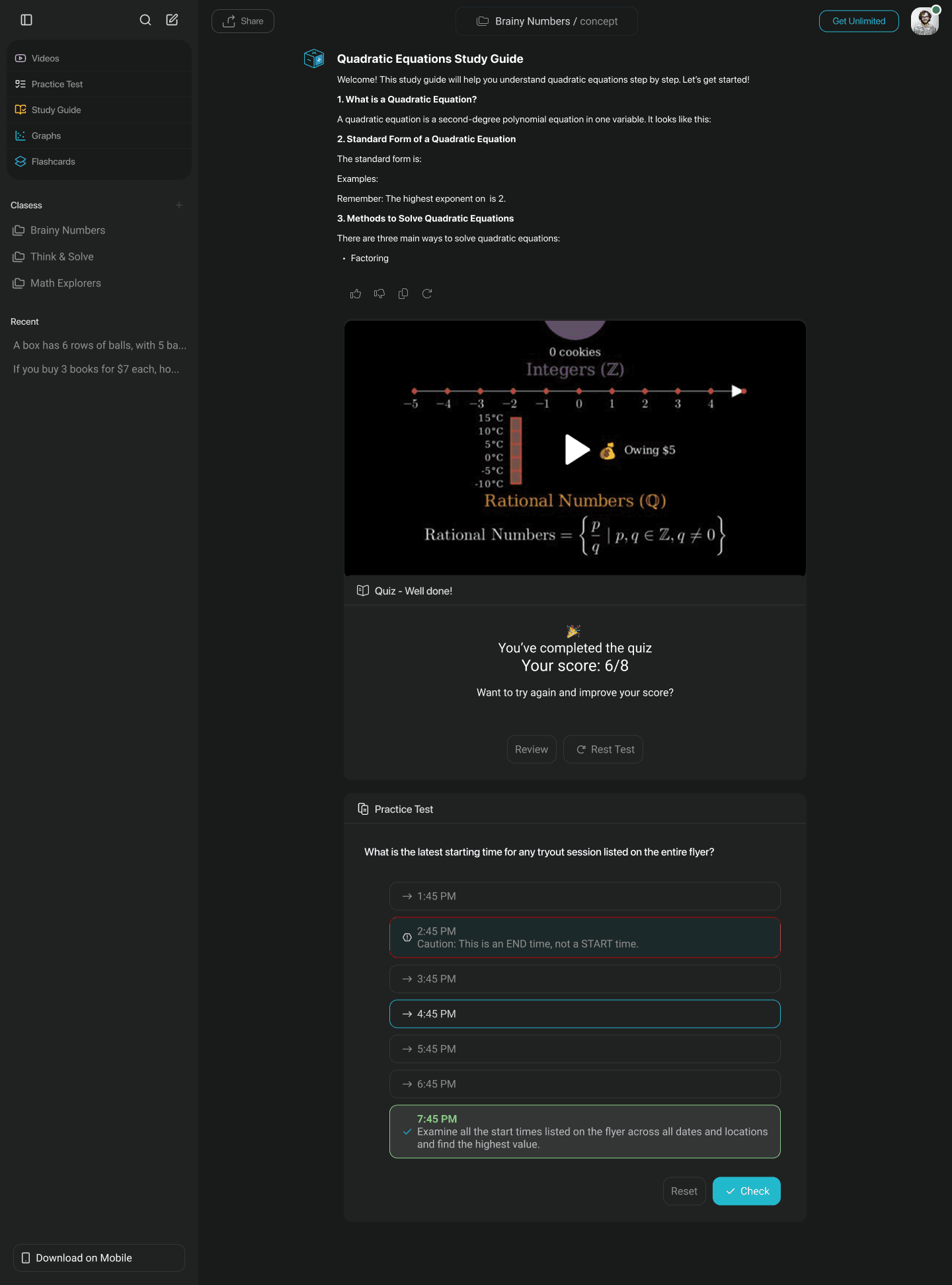
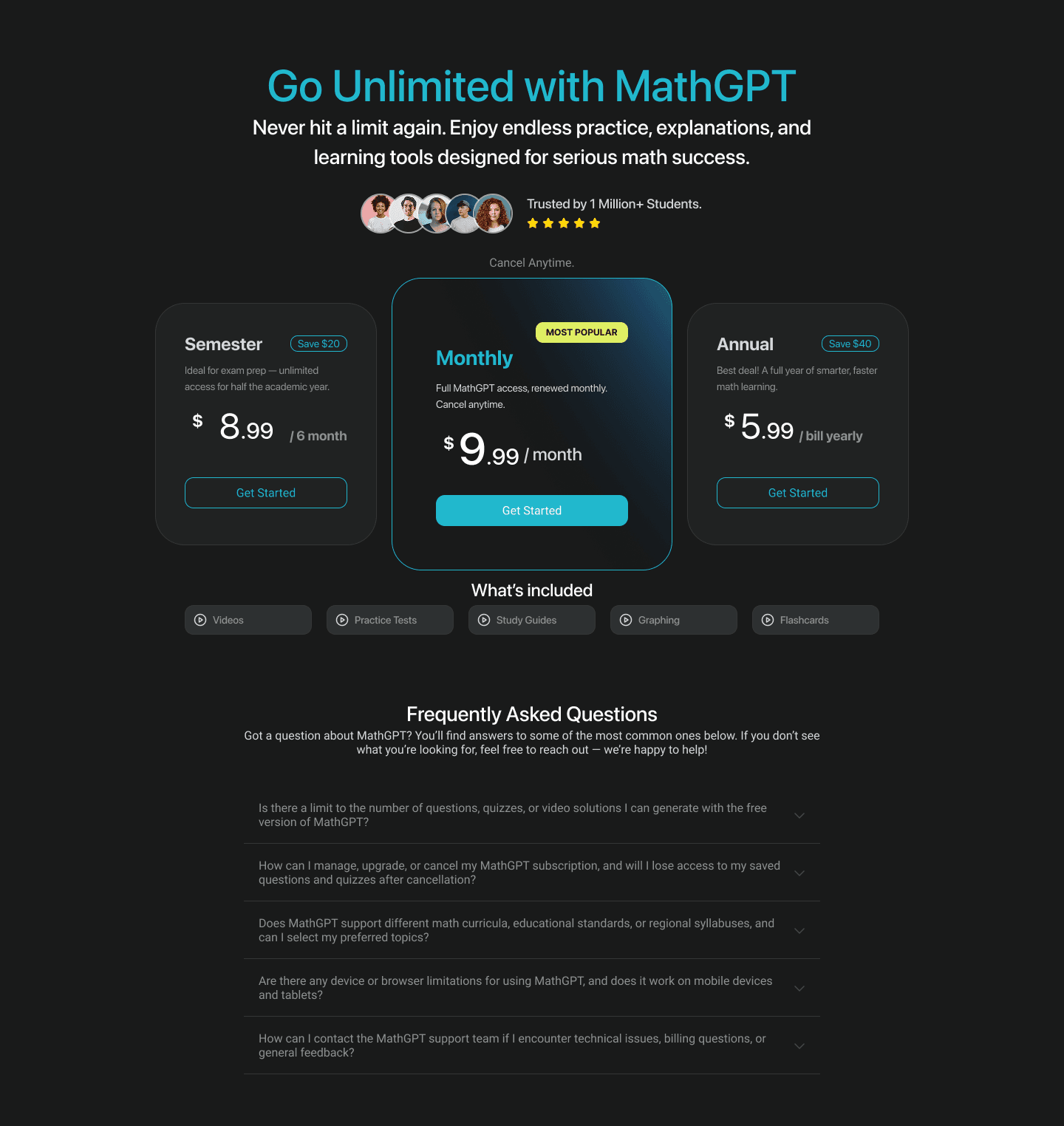
Mobile layouts simplify navigation and keep the main actions within reach, while preserving the product's color language and class-based organization.
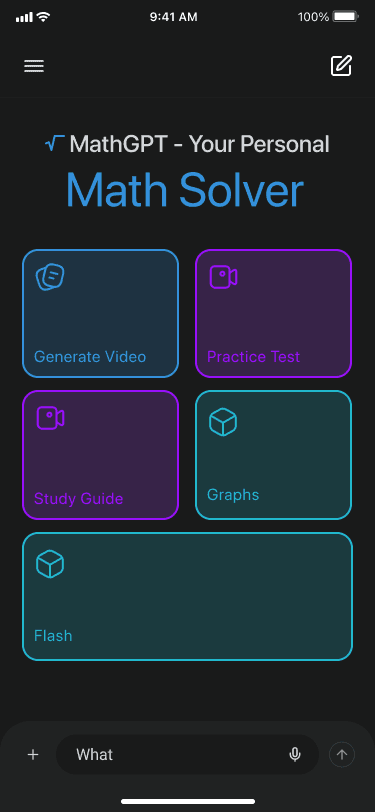
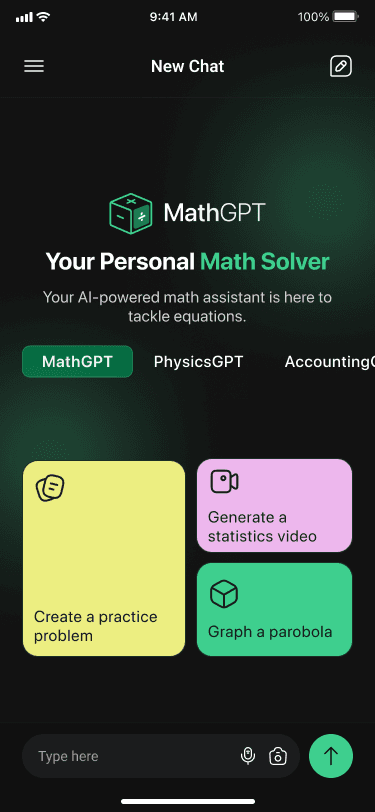
The outcome
The final concept gives MathGPT a coherent foundation for an expanding learning product. Students can begin with the problem in front of them, then move into explanation, practice, and organized study without leaving the experience.
For the product team, reusable patterns across desktop and mobile make it easier to add new learning formats while keeping the interface familiar.
Questions, explanations, practice, study material, and classes work as parts of the same experience.
Clear prompts, familiar controls, and visible next steps help students begin without learning a new system first.
The same learning model moves from a full desktop workspace to a focused mobile experience without losing context.
Designing an AI product people can understand and trust?